July 28, 2026 · 6 min read
How We Keep AI Product Images Accurate
Our AI product image workflow starts with a real product photo and a list of details the model is not allowed to change. Here is how we review the results.
By FlarePix Studio · Photo, video, and AI production
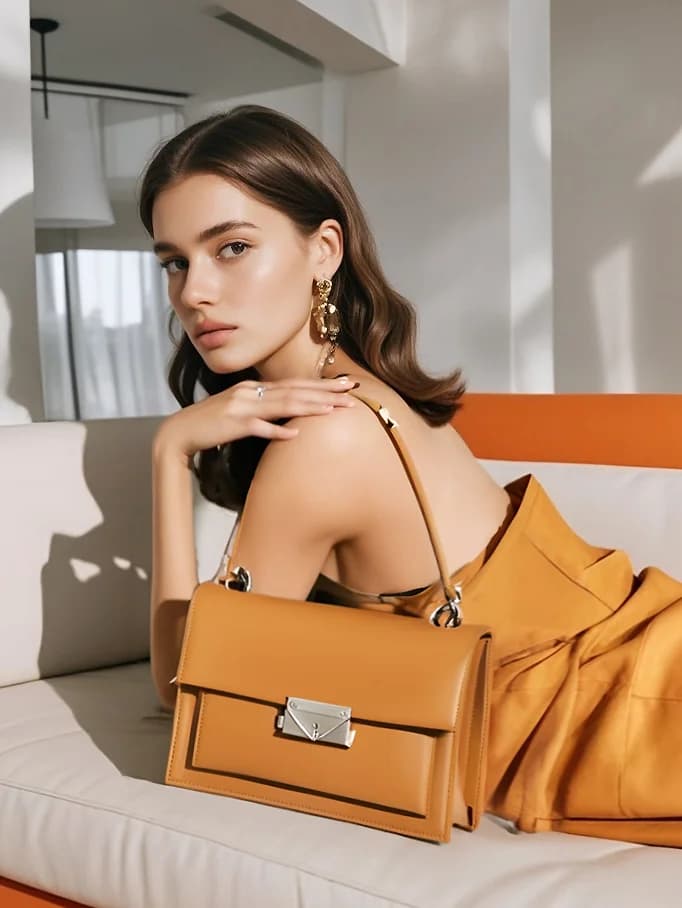
A zipper moves to the wrong side. A matte bottle turns glossy. A small button appears where the real product has no button at all. The image may look convincing at first glance, but it is no longer the same product.
This is the part of AI product images that gets missed in polished demos. Making a good-looking scene is fairly easy now. Keeping the product accurate takes more work, and most of that work happens before and after the model generates anything.
A realistic image can still be wrong
We review AI product imagery in two passes. First, does the scene work? Then, is the product still correct? The second question is stricter. We compare the generated image with the source photos and look for changes in shape, color, material, hardware, labels, packaging, and included parts.
Some errors are obvious. Extra fingers and broken text are easy to reject. The expensive mistakes are quieter: a seam shifts by two centimetres, the cap becomes taller, or a fabric loses the texture that separates it from a cheaper competitor. Those images can survive an internal review and still confuse a shopper.
Our AI product image workflow starts before generation
Before we open an AI tool, we split the brief into two columns. One contains facts. The other contains creative choices. Product dimensions, materials, colours, controls, included parts, and packaging belong in the first column. Location, lighting, styling, camera angle, and mood belong in the second.
AI can explore the creative column. It cannot guess the facts. If the brief does not say whether an accessory is included, we ask. If the logo file is missing, we do not invent one. That slows the first round down a little, but it saves far more time than correcting a scene built on the wrong product.
The source photos do most of the heavy lifting
A clean white-background photo is a useful start, but one angle is not always enough. Handles, ports, fasteners, translucent parts, reflective surfaces, and repeating patterns often need close-ups. If the product has a shape that is hard to read from the front, we ask for side and back views too.
We prefer original files over images downloaded from an Amazon or Shopify listing. Marketplace compression can soften the exact edge and texture information the model needs. For AI product photography, better references usually improve the result more than a longer prompt.
The first round is for finding problems
We rarely treat the first plausible image as a final. The early round tells us where the model struggles. A reflective bottle may keep changing shape. A clothing item may drape well on one model but lose its stitching on another. A package may stay accurate until the camera angle changes.
Once we know the weak points, we stop changing everything at once. We lock the product angle and work on the background, or keep the scene and fix the product. This is slower than pressing generate until something looks good. It is also much easier to review.
What makes us reject an image
Our reject list is not complicated. We discard an image if the silhouette changes, the proportions feel off, the material behaves incorrectly, or a product detail cannot be checked against the source. Logos and labels get a separate close review. So do hands, contact points, shadows, and reflections.
Sometimes an image is beautiful and still gets rejected. That is frustrating, especially after several rounds, but the alternative is worse. A shopper should not receive a product that looks noticeably different from the one shown in the listing.
We also keep samples separate from case studies. An AI sample can show what a visual direction might look like. It does not prove client results, conversion performance, or a production history that never happened.
Where AI product imagery works well
AI product imagery for ecommerce is useful when the real product is already photographed accurately and the missing piece is context. That may be a lifestyle setting, a seasonal campaign, an on-model variation, or a background for paid social. It is also useful for testing several visual directions before paying for a larger shoot.
The destination matters. Amazon product images, Shopify galleries, email banners, and social ads need different crops and amounts of empty space. We prepare the final files for the agreed placement rather than handing over one large image and leaving the client to make it fit everywhere.
When we still choose product photography
Traditional ecommerce product photography is still the safer choice when exact colour, scale, surface finish, or construction is the main selling point. It is also our default for clean white-background images that need to represent the product with as little interpretation as possible.
Most projects do not need to choose one method for every image. We often use photography to establish the product truth and AI to build the settings around it. That division is less exciting than claiming AI can replace the studio, but it produces more dependable work.
What to send for a first review
Send the highest-resolution product photos you have, the current listing or draft, verified specifications, brand references, and the channels where the images will appear. It also helps to include examples you dislike. A clear rejection reference can tell us more than a mood board full of attractive images.
Frequently asked questions
How do you keep AI product images accurate?
We define the product details that cannot change, use original reference photos from several useful angles, generate controlled variations, and compare selected images with the source material. We reject images when a detail cannot be checked or corrected confidently.
What photos work best for AI product image generation?
High-resolution originals with clean lighting and clear product edges work best. Products with complex shapes, hardware, labels, reflective materials, or fine texture usually need several angles and close-up photos.
Can AI product imagery replace ecommerce product photography?
It can replace some lifestyle and campaign work, but traditional photography is still safer when exact colour, scale, material, or construction must be shown. Many projects use photography for the product itself and AI for additional settings and variations.
Are AI-generated samples the same as client case studies?
No. A generated sample demonstrates a creative capability or direction. It should only be described as a client case study when the project, client relationship, and reported results are real and documented.
About the author
FlarePix Studio
Photo, video, and AI production
FlarePix is a product visual studio working with ecommerce and Amazon brands. Our team handles studio shoots, product video, AI lifestyle imagery, and AI video from one workflow, with delivery for Amazon, Shopify, and direct-to-consumer channels.
Related services
Need visuals for your products?
We help ecommerce and Amazon brands ship photo, video, and AI imagery fast.